What offline means
Windows and Macs show Offline when they cannot reach the printer at the address they have stored. They do not know why. The printer may be switched off, asleep, on a different address, on a different network or simply unplugged. The word tells you a conversation has failed, not which end broke it.

First, the printer itself
Look at the panel. Is it awake? Does it show a network symbol, or a cable icon, or a Wi-Fi bar? Print the network or configuration page from the panel menu if the machine has one. That page lists the printer's address, and whether it has joined the network.
If the printer cannot print its own page, it is a machine fault. If it does print one, note the address on it. You have learned the one fact that settles most of these calls.
The address problem
Every device on an office network has an address. By default the router hands them out, and lends them for a limited time. When the router restarts or is replaced, it may give the printer a different address from the one the computers remember.
The fix is a fixed address for the printer, set on the printer or reserved in the router. Then it stays put. We do this on installs and on service calls where it turns out to be the cause. Tell your IT contact the address the printer should keep, and ask them to reserve it.
This is the single most common cause we meet, and it is fixed in minutes once someone knows it is the cause.
Who can and cannot print
| Pattern | What it usually is | First thing to try |
|---|---|---|
| Nobody can print | Address changed, printer off the network, router or switch | Print the network page at the printer |
| Only one computer is offline | That computer's printer port or driver | Remove and add the printer on that computer, ask IT |
| Works wired, fails on Wi-Fi | Weak signal, wrong network, wireless dropped | Move closer or use a cable |
| Works at first, fails after lunch | Printer sleeping and not waking on the network | Check sleep and network wake settings |
| Started after an internet or modem change | Address range changed | Reset the printer's address |
| Works on the office network, not from a laptop on guest Wi-Fi | Different network | Join the staff network |
Sleep, wake and the weekend
A printer that sleeps deeply may stop answering the network, and a computer that asks it a question gets silence and reports offline. A tap on the panel wakes it, and then it is fine. That pattern, offline on Monday and fine by ten, is almost always a sleep setting.
The printer's power saving options can usually be changed so the network card stays awake. We check them when we are there.
Wired is calmer than wireless
Where a copier stands a few metres from a socket, a network cable is better than Wi-Fi. A multifunction that serves a whole office should not depend on a wireless link that drops whenever the microwave runs. Cables are cheap, and they are one fewer thing to blame.
If a wall socket has to be patched, that is a job for your cabling contractor. We tell you which socket the machine needs.
Shared buildings
Suites in a shared building, a serviced office or a shopping centre upper floor may sit on a network run by the landlord or an outside provider. A change at the building's end can strand every printer in it. If the printer vanished when others in the building lost something too, say so when you ring. It points at the network and not at us.
On the Coast this turns up in the Maroochydore CBD, around Birtinya and on the commercial strips at Caloundra and Noosaville, where several small businesses share a link.
Printing across a VPN or from home
More offices than before have staff who print from home, or who connect over a secure link to the office. A printer at the office is on the office address range, and a home computer cannot reach it unless the link is set up for printers. If it worked at the desk and fails from the kitchen table, that is why. The fix is on the network and the VPN, and your IT contact owns it.
Driver and port, the Windows side of it
A computer talks to a network printer through a port, and the port stores the address. If the printer's address changes, the port still has the old one. Some ports find the printer by name or by a discovery method, and these survive an address change. Others, set by number, do not.
That is the reason one computer can be offline while its neighbour prints, when both were set up on different days. We do not need to touch your computers to say it, and we can tell your IT contact which kind of port to choose.
A driver that came with a Windows update can also replace a good one with a generic one that lacks features such as finishing or account codes. If a printer prints but the options have gone, look at that.
Why it matters to a small office
A printer that drops off the network is a failure that looks like a repair and is not. A technician visit finds nothing broken, and the problem returns the next time the router restarts. It is cheaper to fix the cause once. Fixed address, a cable where possible, a sleep setting that keeps the network awake, and a written note of the address on the printer's side.
If you have a router that is restarted every few months by whoever remembers, ask them to note the date. It helps us match a fault to a cause.
A quick note on printer firmware
Printers have software, and a network card that hangs after a long uptime sometimes needs a restart more than a repair. A printer that is only offline after weeks of uninterrupted running may simply need a power cycle. If it needs one every few weeks, ask us about its firmware. We check it on a visit.
What to do before you ring
Switch the printer off for a minute and on again. Print the network page. Note the address and whether other computers can print. Check the cable is clipped in at both ends and the little light beside the socket is lit.
Do not reset the printer's network settings to factory defaults unless an IT contact tells you to. It clears the address and it can clear the sign in settings too.
Then ring us. We sort the machine side, and tell your IT contact the network side. If the printer has failed, our technicians are trained, experienced and certified, and 98% of repairs are fixed on the first visit.
Out in the hills
A small office up the range still needs the right person
Maleny, Nambour, Eumundi, Kenilworth, Gympie. Small offices and farm supply counters have the same copier problems as a Maroochydore firm and fewer people to fix them. Ring before the van is loaded and we pack for your make, so a long drive is not wasted on the wrong roller.
A town office should not get a worse repair than a coastal one. Same technicians, same standard, same free second go if the fault returns.

- Pack for the job. Make, model and message first.
- Same standard. Hills or beach.
- Same warranty. Same fault, no charge.
More for Sunshine Coast offices
Copier and printer faultsStart from the symptom, find the next step. Copier not printingJob sent, nothing comes out. Check these before you ring.
 Scan to email not workingThe scan leaves the glass and never reaches the inbox.
 Commercial printer repairsCommercial laser printers, label printers and fleets repaired on site.
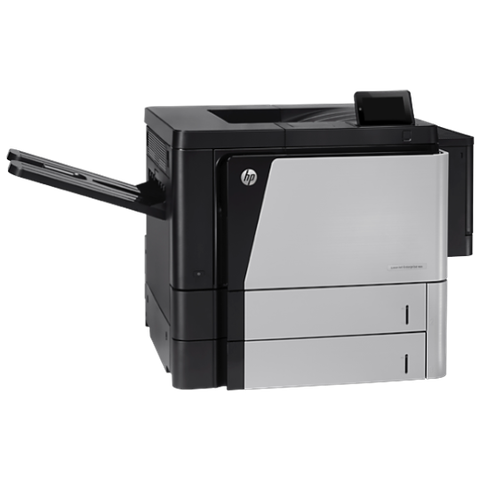 HP repairsLaserJet Pro, Enterprise, Color LaserJet and DesignJet repaired on site.
Buy, sell and lease
Buy, sell and lease commercial copiers on the Sunshine Coast
We also sell new and second hand commercial copiers and buy used ones. Same team, same technicians.

Some recent callouts

What people ask when they ring
Why does my printer keep going offline?
It most often has a changing address, a sleep setting that stops it answering, or a weak wireless link. A fixed address and a cable cure most cases.
The printer is on and shows ready, but the computer says offline. Why?
The computer is looking at an old address, or its port is wrong. Printing the network page shows what the printer thinks its address is.
Do I need an IT person?
For the network side, yes, or whoever manages the router. We deal with the printer side and tell them what to set.
Can you give the printer a fixed address?
Yes, on the printer. Your IT contact may also want to reserve that address in the router so nothing else takes it.
Why did the printer disappear after the internet changed?
A new modem or router often uses a different address range, so the printer is left on one the computers no longer look at.
Why does it go offline only on Mondays?
Usually the printer slept over the weekend and did not wake on the network, or the router restarted over the weekend and the printer was given a new address. Printing the network page will show which.
Should I unplug it and plug it in again?
Once, yes. A restart sometimes clears a hung connection. If it keeps happening, it is a setting.
Will I lose my settings if I reset the network?
A factory reset on the printer's network section clears the address and may clear scan settings. Ask before doing it.