The questions we ask
Age and page count. Most commercial machines are built for a rated monthly volume, and a machine that has lived well above it wears early. A fifteen year old copier that did light duty in a quiet office can be better than a seven year old one that ran flat out.
Repair history. How many calls in the last year, and for what? Three different faults in six months suggest a machine falling apart in several places. The same fault three times suggests a cause nobody has found.
Parts support. Makers stop supplying parts for older models after a number of years. If a part has to come from a donor machine or a second hand source, the repair costs more and the cover on that part is shorter.
Cost against replacement. We do not use a fixed rule, but if a repair comes close to half the cost of a decent replacement, we say so out loud.


Three kinds of answer
| Situation | Our usual view | Why |
|---|---|---|
| Newer machine, one failed wear part | Repair | The machine has years left |
| Mid age, steady use, a single major part | Repair, probably | Parts are available and the rest is sound |
| Old machine, second major part this year | Talk about replacing | Costs build faster than the machine earns them back |
| Parts no longer supplied | Replace, unless a donor part is sound | A repair may not last |
| Machine too slow, too big or too small for the office | Replace, whatever the condition | The fault is the fit |
Where the real costs hide
The repair bill is only one number. The others are the time lost when it fails, the jobs sent out to a print shop, the toner that costs more per page on an older design, the energy it draws, and the evenings someone stays back to finish a print run.
An older machine often has a higher cost per page for supplies than a new model, and it may lack functions your office has started to want, such as scanning straight to a cloud folder, secure release or mobile printing. If the machine does less than your office needs, then fixing it only preserves a limitation.
What would make us say keep going
A machine that was serviced regularly. A known fault that has a known cure. A reasonable page count for its model. Supplies still easy to get. A staff group who like how it works and whose jobs do not call for anything new.
Where all of that holds, an older Toshiba or Kyocera can go on earning its keep, because parts for many of their models stay easy to find. Do not take that as a promise about yours. We check the model first.
What would make us say stop
Several systems failing together. A frame that is bent or cracked from a past fall. A drum and developer and fuser all due at once on a machine with a very high count. A controller board that is no longer made. Repair costs that have been climbing for two years. A machine that was never right for the job.
In those cases we tell you before you spend, and we help you work out what to replace it with.
Reading the service history
If you have kept the paperwork, the pattern is useful. Wear parts that were replaced on schedule suggest a machine looked after. A string of different failures in a short time suggests something systemic, such as a power supply feeding bad voltage to everything on the board. A repeated fix for the same fault suggests the real cause was missed.
If you do not have the history, the machine itself holds some. We can read the counters for wear parts and the log of faults when we visit, and say how many pages each part has done.
What new does not fix
A new machine will not cure a network that drops, a mail setting that has gone stale, or a room that is too hot. Some of the problems we are called to are on the surroundings, and a replacement copier will bring them with it. We will tell you if that is the case, which sometimes means the simplest answer is to fix the network, not the copier.
Before you decide, do these
Find the page count. Most machines show it on the panel under counter, or print a status page. Find the date of the last service. Write down every fault in the past year. Ask the staff what they actually use it for.
If you ring with that, we can usually give a straight view on the phone.
If the answer is replace
We sell commercial machines, new and second hand, and we can deliver and set one up. We are not tied to one brand, and the choice should match your volume and your work, not a sales target. See second hand photocopiers and how to choose a photocopier. If you have the old one to dispose of, we buy used photocopiers too, and we make sure data on the hard disk is dealt with.
Machines we sell are warranted, and we explain what is covered on the phone.
A worked example, in words
A boutique firm rings. The copier is a mid sized multifunction, nine years old, with a fuser code that has returned twice. We read the page count and the fault history over the phone. It has run well inside its rated volume. The fuser is a standard part that is easy to get. The feeder and the drum are in good order. We say: repair it, and keep the old one for another few years.
Another firm rings about a machine of similar age. Different story. It has the highest page count the model is listed for, a feeder that has failed twice, a developer that is due and a board that the maker no longer supplies. We say: do not put a fuser into this one. Let us talk about a replacement.
The fault is the same on both phones. The answer is not.
Colour, speed and the size of the job
Replacement is not only about breakdowns. A practice that has grown from four staff to ten may be queuing at a copier that was right for the old office. A builder who now sends plans to clients as colour PDFs and prints them at A3 may be fighting a machine built for black and white A4. We will ask what you actually print, and say if a machine that is not broken is nonetheless the wrong machine.
Sunshine Coast offices that run old machines well
Small builders, boutique accounting firms and clinics at Buderim, Maroochydore and Caloundra often keep a copier a long time, because it works and nobody wants a project. That is a sensible instinct. The question is only whether the repairs are still paying their way.
We would rather tell you to keep it for two more years than sell you something you do not need. When it is time, we will say so, too.
Belts and rollers
Belts like clean hands and a gentle pull
Rollers get the same respect. A pickup roller that has gone glossy will not grip, and that is a few dollars of rubber. Replacing a whole feed assembly because nobody looked closely is the expensive way to find that out.
Honest repairs look dull from the outside. Check, clean, replace the one thing that is worn, test.
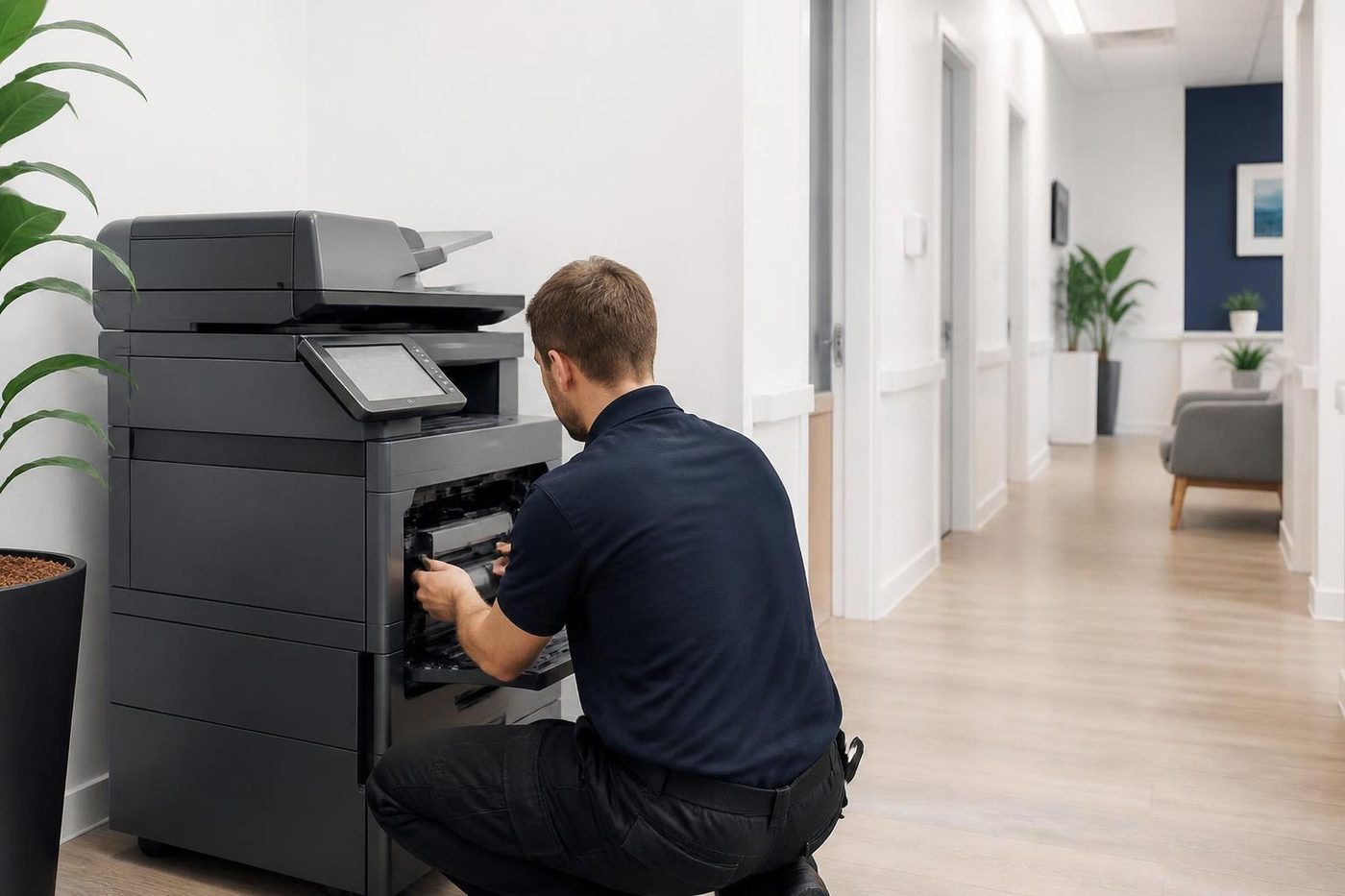
- Gloves on. Belts and drums are handled by the edges.
- Check the drive. Worn rollers cause marks that look like belt faults.
- Replace the worn part. Not the whole assembly.
More for Sunshine Coast offices
 Copier and printer faultsStart from the symptom, find the next step.
 Photocopier paper jamsWhy copiers jam, what you can do at the machine and when to ring.Second hand photocopiersTested second hand commercial copiers, delivered, connected and warranted.
 Photocopier repairsCopiers fixed at your desk, one call, price agreed first.
 Commercial printer repairsCommercial laser printers, label printers and fleets repaired on site.
Buy, sell and lease
Buy, sell and lease commercial copiers on the Sunshine Coast
We also sell new and second hand commercial copiers and buy used ones. Same team, same technicians.

Caloundra, Maroochydore, Noosa and the hills


What people ask when they ring
How old is too old for a copier?
There is no fixed age. Page count, repair history and parts support matter more. A well kept machine can run a long time, and a hard worked one can be finished early.
When is repair not worth it?
When several major parts are failing, parts are no longer supplied, or a repair is close to half the cost of a decent replacement.
Can you tell the page count from the panel?
Most machines show it in a counter or status menu. We can talk you through where to find it.
Do you buy my old copier?
We buy used photocopiers that are worth buying. Ring with the make, model and condition.
What about the hard drive?
Many copiers store scanned and printed documents on a drive. We make sure it is dealt with before a machine leaves your premises.
Does a high page count always mean replace?
No. It depends on the rated volume for that model and how the machine was looked after. Some copiers run far past the number people expect, and some give up well before it.
How do I tell if parts are still available?
Ring with the make and model. We know quickly whether parts are easy to get, slow to get, or only available from a donor machine.
Is a service contract better than repairing as I go?
It depends on volume and risk. Ring and we talk about what suits your office.
Will you tell me if it is not worth it?
Yes. We say so before you spend money.